Color Normalization
WSI.color_normalization module
About this module
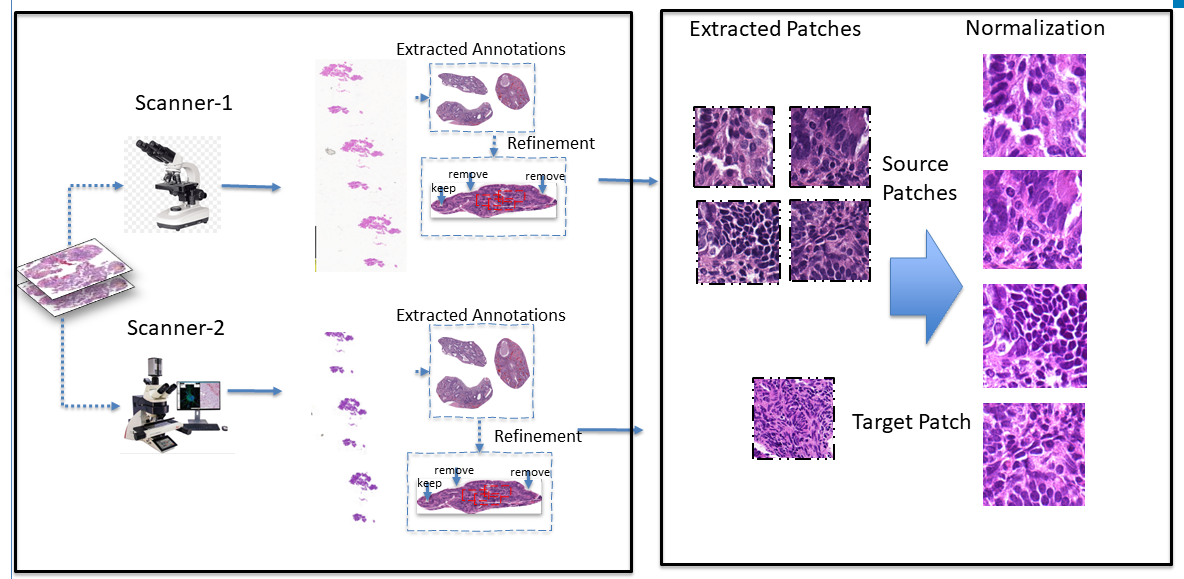
This module provides color normalization utilities for histopathology Whole Slide Images (WSIs). It includes the color_normalization class which supports popular stain normalization techniques such as Macenko, Vahadane, Reinhard, and Histogram Matching.
The goal is to reduce color variation across slides from different sources or batches, enabling more consistent analysis downstream.
Loading Required Packages
This step involves importing the necessary modules for color normalization.
from WSI.color_normalization import color_normalization
Make sure OpenCV and NMF are installed. If not, install them using:
pip install opencv-python-headless scikit-learn
Load Source and Target Images
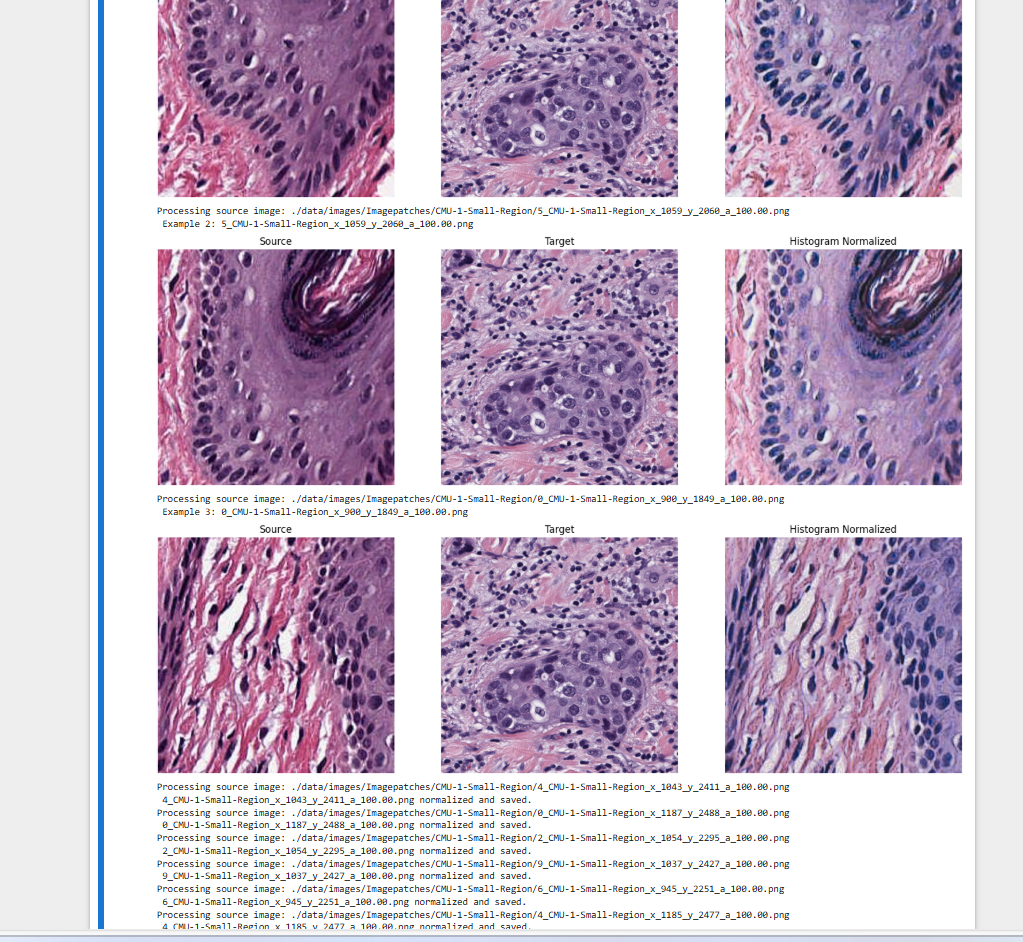
You’ll need a source image (to normalize) and a target image (whose color profile you want to match). Here’s an example of how to load and view them:
cn = color_normalization()
source = cn.load_image("path/to/source_image.jpg")
target = cn.load_image("path/to/target_image.jpg")
cn.plot_images(source, target, source, "Source", "Target", "Same")
Apply Normalization Methods
You can normalize the source image using one of the supported methods: Macenko, Vahadane, Reinhard, or Histogram Matching.
cn.fit_macenko(target)
normalized = cn.transform_macenko(source)
cn.plot_images(source, target, normalized, "Source", "Target", "Macenko Normalized")
cn.fit_vahadane(target)
normalized = cn.transform_vahadane(source)
cn.fit_reinhard(target)
normalized = cn.transform_reinhard(source)
normalized = cn.transform_histogram(source, target)
Compare Results
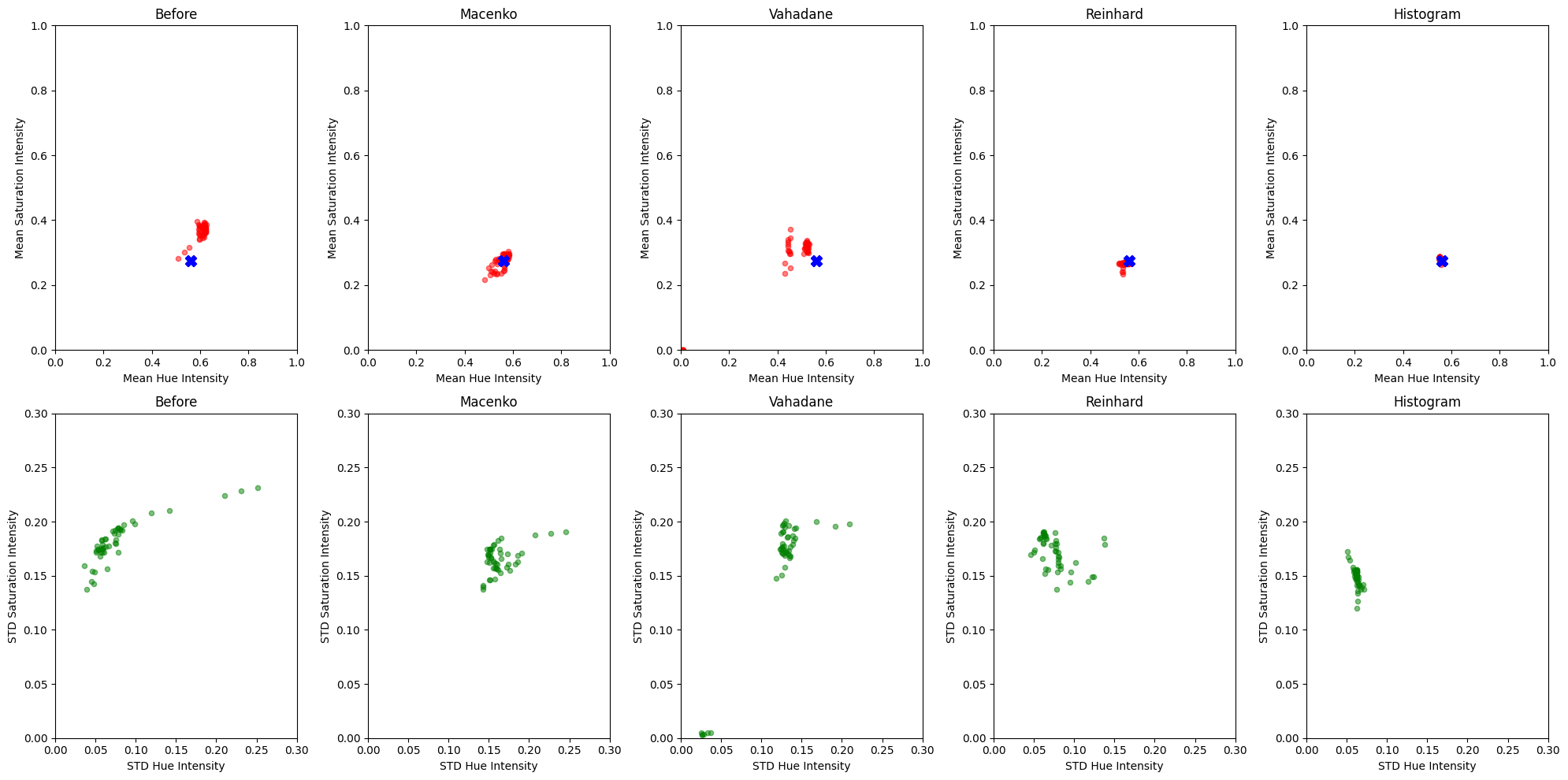
You can use the visualization utility to compare different methods across multiple images:
cn.plot_all_normalization_comparison(original_stats, [stats_m, stats_v, stats_r, stats_h],
                                     methods=["Macenko", "Vahadane", "Reinhard", "Histogram"],
                                     target_image_path="path/to/target.jpg")
Batch Normalization
To normalize an entire folder of images against a reference target:
cn.process_image_folder("path/to/source_images", "path/to/output", "path/to/target_image.jpg")
This will apply all four normalization techniques to each image and save the results to separate subfolders.
Hue/Saturation Stats Visualization
You can also inspect the hue and saturation statistics pre- and post-normalization:
original_stats = cn.compute_hue_saturation_stats(list_of_source_images)
normalized_stats = cn.compute_hue_saturation_stats(list_of_normalized_images)
cn.plot_scatter_grid(original_stats, normalized_stats, "path/to/target.jpg")
Usage Example
from color_normalization import color_normalization

cnorm = color_normalization()
cnorm.fit_macenko(target_img)
normalized_img = cnorm.transform_macenko(source_img)
Image Display